



ELECTRONICS
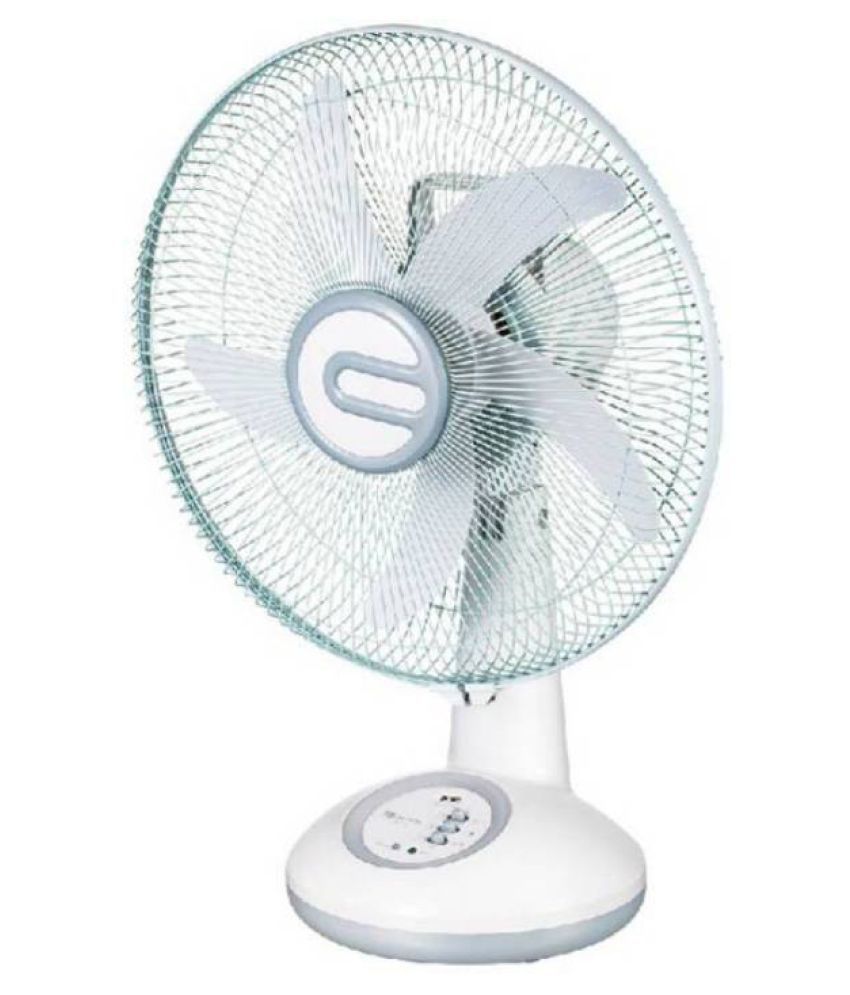
Care 4 300 14 inch Rechargeable oscillating Fan TableFan White
₹3,319.00
- Warranty:1 Month Sweep/Fan Size (in mm):300 Number of Speed Settings:3 Power Consumption (in Watts):60 Rechargeable:Yes Care 4 Model Name:14 inch Rechargeable oscillating Fan Color:White Remote Control:No Other Features:14" Oscillating rechargeable AC/DC table fan with led light.
- SUPC: SDL586224186
- Specifications
- General
- Brand Care 4
- Type TableFan
In stock
SKU: WP-4272
Product description
Warranty:1 Month Sweep/Fan Size (in mm):300 Number of Speed Settings:3 Power Consumption (in Watts):60 Rechargeable:Yes Care 4 Model Name:14 inch Rechargeable oscillating Fan Color:White Remote Control:No Other Features:14" Oscillating rechargeable AC/DC table fan with led light. SUPC: SDL586224186
Specifications
General
Brand Care 4
Type TableFan
Model Name 14 inch Rechargeable oscillating Fan
Color White
Body Material Plastic
Sweep/Fan Size (in mm) 300
Motor Winding Copper
Number of Speed Settings 3
No. of Blades 3
Air Flow(in CFM) 4000
Feature
Rechargeable Yes
Remote Control No
Dimension
Power
Power Required (in V) 220
Power Consumption (in Watts) 60
Warranty
Warranty 1 Month
In The Box
In the Box One Table Fan, Charger, Manual
Description
14 inch Rechargeable Table Fan comes with feature of charging on DC Socket. Feel the refreshing cool breeze even when there Is no power. This Rechargeable Table Fan Has A Twin AC-DC Function. (Charge It For 12 on initial use) Hours And Then Turn On The DC Mode When There Is A Power Failure.
It is a multi-angle tilting fan with 2 way speed. I has a handel for convinient movement It has 6 pieces of bright LED lights, which can be used for studying at night Built in power cord / plug. New and advanced charging function Its LED lights can be used in emergency You Can Operate By AC Power Directly when there Is electricity.
Its LED Indicator Lets You Know When It Is Charging And When It Is In Operation. The best part Is that this table fan Is easy to carry and can be placed wherever you want to place it. In case the fan is not working on DC mode, then remove the fan from electric connection, then loose the screw on the back battery cover, remove the battery, then check whether the red & black wire are connected to the battery or not, please connect the black wire to black portion and please connect the red wire to red portion.
Please the battery again in the place provided and tighten the screw. By doing this the Fan will start operating on DC also
Ratings & reviews
No customer reviews yet.